PDP 2.0
Component type: Power distribution
Vendor/Manufacturer: CTR Electronics (CTRE)
1. Overview & Purpose
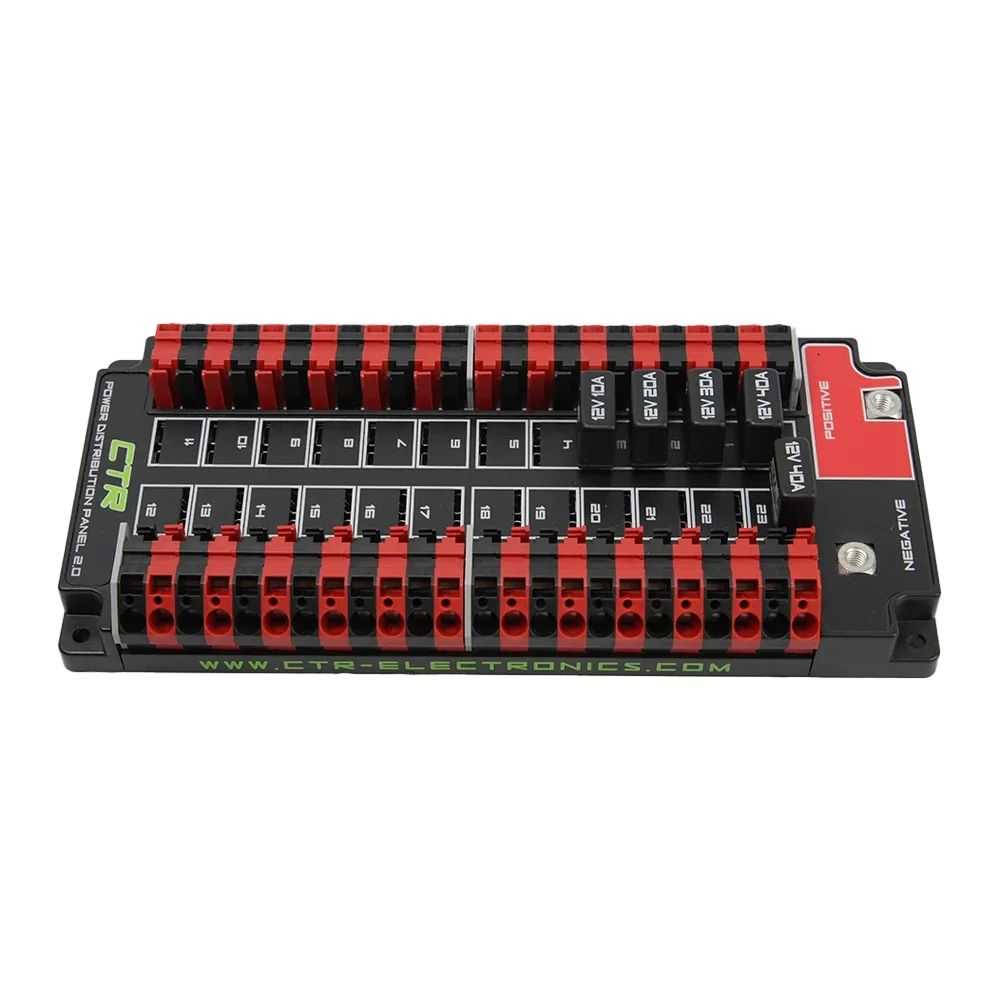
The PDP 2.0 takes power from the battery (through the main breaker) and splits it into 24 separate channels. Each channel has its own breaker or fuse, so a short or stall on one motor trips only that channel instead of the whole robot.
It is a passive board. The user’s guide lists no CAN connection and no status LEDs, so unlike the REV PDH it cannot report per-channel current to the robot code.
2. Key Specifications
| Spec | Value |
|---|---|
| Voltage | 12 V nominal (tested at 12–24 V) |
| Total current | Tested up to 120 A, which matches the 120 A main breaker |
| Channels | 24, all taking ATO-size breakers or fuses |
| Per-channel limit | Set by the breaker you install, up to 40 A |
| Input terminals | 2 M6 stand-offs, wire up to 4 AWG |
| Output terminals | Lever-actuated WAGO clamps, 10 AWG max, 22 AWG recommended minimum |
| Communication | None |
Specs are from the PDP 2.0 User’s Guide.
3. Wiring & Connections
Input: run 4 or 6 AWG wire from the 120 A main breaker to the positive stand-off and from the battery negative to the negative stand-off. Put the ring terminal flat on the stand-off, then the split (lock) washer, then the M6 × 10 mm bolt. Tighten to snug, no more than 2.5 N·m, or you can damage the board. The split washer keeps the bolt from vibrating loose. Then fit the input terminal covers from the hardware kit.
Outputs: each channel has a positive and a negative WAGO clamp.
- Strip the wire to 3/8”.
- Put the WAGO tool (or another sturdy flat edge) into the top slot and pry it open, pressing toward the board so the tool doesn’t slip.
- Push the wire into the round opening, release, and tug the wire to check it is clamped.
Choosing breakers: the breaker in a slot must protect the wire on that channel, not just the device. Match the breaker size to the wire gauge you used, following the current FRC game manual’s wire-size rules.
Mounting: four corner holes for 10-32 screws.
4. LED Status Indicators
None. The PDP 2.0 has no status LEDs. To check whether a channel has power, measure it with a multimeter or look at the device’s own LEDs.
5. Common Issues & Troubleshooting
| Problem | Likely cause | Fix |
|---|---|---|
| A device loses power or works on and off | Wire not fully clamped in the WAGO, or stripped too short or too long. | Re-strip to 3/8”, re-insert, and do a tug test. |
| Whole robot browns out or cuts out when hit | Loose main input bolts. | Check the split washers are installed and the bolts are snug (2.5 N·m max). |
| One mechanism keeps cutting out under load | Its breaker is tripping. | Check that the breaker rating suits the motor and wire, and look for a stall or jam. |
| Input bolt stripped or board cracked | Over-torqued input bolt. | Never go above 2.5 N·m. |